Why The K.O. II Deserves A Structured Knowledge Base
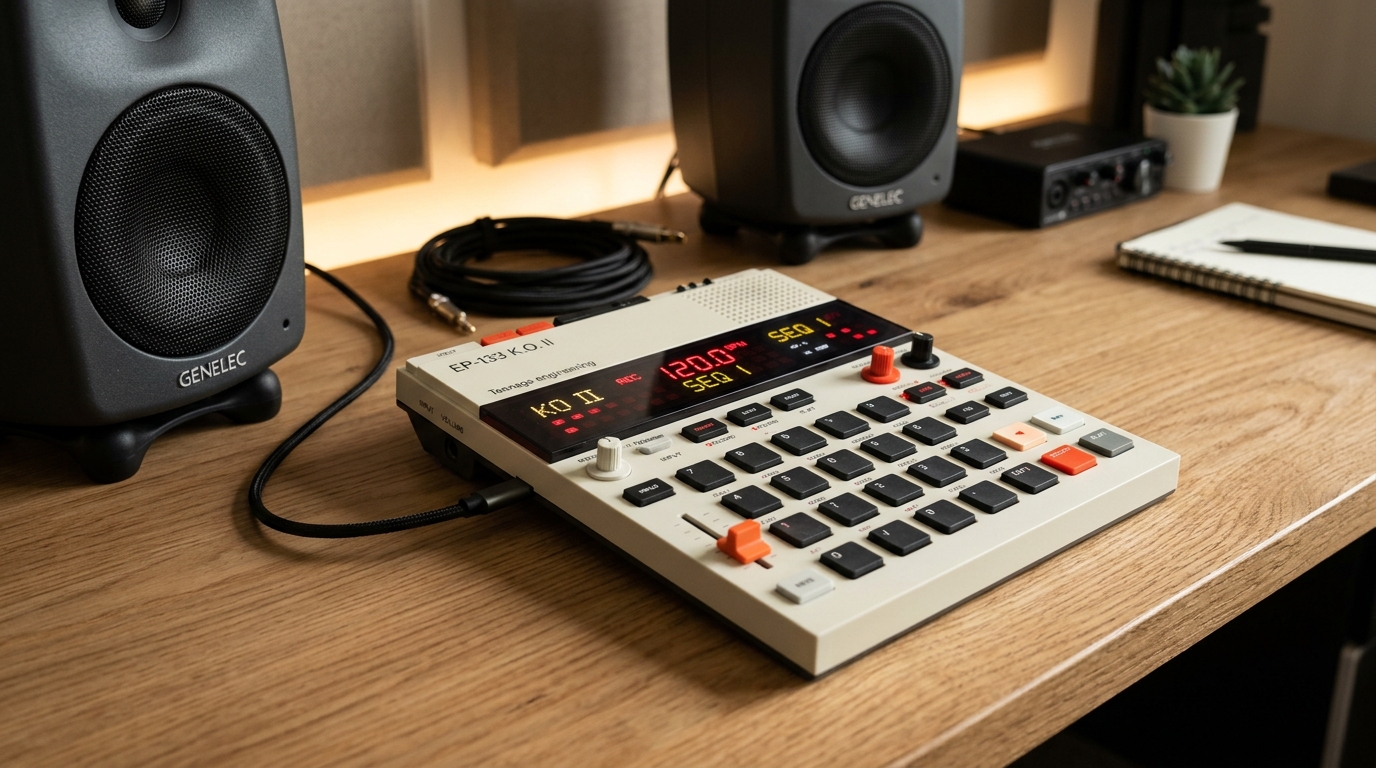
Teenage Engineering products have a reputation for polarizing design: minimalist, retro-futuristic, tactile, and occasionally baffling if you expect a traditional menu screen. The EP-133 K.O. II is the spiritual heir to the legendary PO-33 pocket operator, but expanded with full mechanical calculator-switch keys, pressure-sensitive pads, a motorized-feel multi-function fader, and an iconic segmented LCD display.
The IT Guy's Reality: Unlike a modern DAW (Ableton, Logic) or even an MPC with a touchscreen, the K.O. II operates on pure muscle memory and 3-letter segmented abbreviations (SMP, CHOP, VEL, FMT). If you don't use it for two weeks, you will forget the combo to auto-chop across 12 pads or how to clear only the fader automation without wiping your drum sequence.
That is why this guide is organized into Modular Knowledge Nuggets. Each nugget is an isolated, verified operational pattern. As we discover advanced techniques—such as multi-scale chord quantization, polyphonic voice choking, and live MIDI sidechain routing—we add them directly to this catalog.
The Three Mental Models of the K.O. II
- 1. The Scene is a Vertical Snapshot: A Scene does not contain notes; it merely holds which pattern (1-99) is currently playing in Group A, B, C, and D.
- 2. The 4 Groups are Independent Instruments: Treat Group A as Drums, Group B as Bass, Group C as Melodic / Chops, and Group D as Vocals / One-Shots.
- 3. Fader is a Dynamic Lens: The fader only controls whatever parameter pad was selected last (Volume, Pitch, Filter, Attack, Release).
Interactive EP-133 Deck Visualizer
Press any hardware key or quick function button below to simulate device response and see its live LCD translation.
EP-133 Knowledge Nuggets
No Matching Knowledge Nuggets Found
Try clearing search filters or changing the category pill.
Master Hardware Combo Matrix
| Button Combination | Action / Trigger | Screen Readout | Field Note / Caveat |
|---|---|---|---|
| [GROUP] + [A/B/C/D] | Switch Active Channel | GRP A-D | Directly selects which group of 12 pads is actively playable and sequenced. |
| [GROUP] + Tap [Grp Pad] | Mute Group Channel | MUT | Instantly cuts audio for the selected group. Tap again to unmute live. |
| [SHIFT] + [GROUP] + [Pad] | Solo Group Channel | SOL | Mutes all other 3 groups immediately. Essential for live drops and solos. |
| [SHIFT] + [SAMPLE] | Auto-Chop Engine | CHOP | Analyzes audio transients and automatically assigns slices across pads 1-12. |
| Hold [FADER] + [Pad 1-8] | Assign Fader Destination | LVL, FLT, RES... | Maps physical slider to Volume, Pan, Filter Cutoff, Resonance, Pitch, Attack, or FX. |
| Play + Hold [REC] + Move [FADER] | Record Live Automation | AUT ● | Writes parameter curves dynamically into the active pattern length. |
| Hold [ERASE] + Move [FADER] | Wipe Automation Track | CLR AUT | Clears fader motion data without deleting sample triggers or drum hits. |
| [SHIFT] + [FX] | Master Bus Compressor | CMP | Controls threshold and glue ratio for radio-ready punch. |
| Hold [MAIN] at Power-On | Live Gig Lock Mode | LOK | Locks critical settings to protect against accidental pattern wipes on stage. |
| Hold [SHIFT] + [ERASE] at Power-On | Danger Zone: Full Format | FMT | Completely formats 64MB memory. Use only after backing up via EP Sample Tool! |
Recommended Gear & Essential Protection
Teenage Engineering EP-133 K.O. II Sampler
The pocket sequencer, sampler, and drum machine featured throughout this profile. Built with 64MB memory, 999 sample slots, 6 stereo / 12 mono dynamic polyphony voices, multi-function motorized-feel fader, internal condenser mic, built-in speaker, high-resolution velocity pads, and OB-4 punch-in performance effects.
Decksaver EP-133 Polycarbonate Cover
Mandatory Survival Mod: The fader stem on the EP-133 is susceptible to lateral shearing if placed loose into a backpack. A custom smoked polycarbonate Decksaver shields the fader and mechanical switches from bent shafts.
Panasonic Eneloop Pro AAA Rechargeable
The K.O. II runs on 4x AAA batteries. Standard alkalines drop voltage fast and cause sudden shutoffs without warning. Eneloop Pros maintain flat discharge curves for 6+ hours of portable park beatmaking.
3.5mm TRS Type-A to 5-Pin DIN MIDI Cable
Standard Trap: Not all 3.5mm MIDI cables work. Teenage Engineering follows the official MIDI Type-A standard. If you hook up an old Arturia Type-B adapter, zero MIDI notes will transfer. Get verified Type-A cables.
How We Expand This Profile Over Time
This profile is built specifically around an extensible JSON data architecture (`KNOWLEDGE_NUGGETS`). Whenever Rick or the Antigravity pair programming session tests an advanced trick (such as custom scale tables, polyphonic choke hacks, or Pocket Operator sync routing), we simply append a new nugget object:
{
  id: 29,
  title: "Pocket Operator Sync Pulses Out",
  category: "System & Utilities",
  level: "Intermediate",
  combo: "SYNC OUT -> PO-32/PO-33 IN",
  screen: "SY 1",
  summary: "Splits stereo out to send audio on Left channel and 24ppqn analog clock click on Right channel.",
  steps: [
    "Navigate to System Settings via [SHIFT] + [ERASE]",
    "Scroll to SYNC mode using data knob",
    "Select SY1 (Pulse Out) to slave older Pocket Operators",
    "Connect 3.5mm stereo cable to Pocket Operator input"
  ],
  tip: "Ensure Pocket Operator is set to SY2 or SY4 to listen for incoming click."
}
The IT Guy's Bottom Line
The Teenage Engineering EP-133 K.O. II is one of the rare modern instruments that rejects screen bloat. By forcing you onto a tactile mechanical surface with instant segmented readouts, it strips away the endless choice paralysis of modern computer DAWs.
Once you memorize the 4-group container hierarchy and build the finger habits for auto-chopping and fader automation, you can build full, head-nodding lo-fi hip hop, house, or boom bap tracks faster than on almost any piece of hardware. Bookmark this page, run through the interactive deck, and check off each nugget as your muscle memory locks in.